
Intelligent matching of incoming e-invoices in SAP
An e-invoice can be structured, machine-readable and validated, yet still end up waiting for clarification. Often the format is not the problem: SAP needs to know which supplier the invoice belongs to and which purchase order it concerns. eDocSuite addresses both questions directly in the Incoming Invoice Workbench through business partner matching and purchase order search.
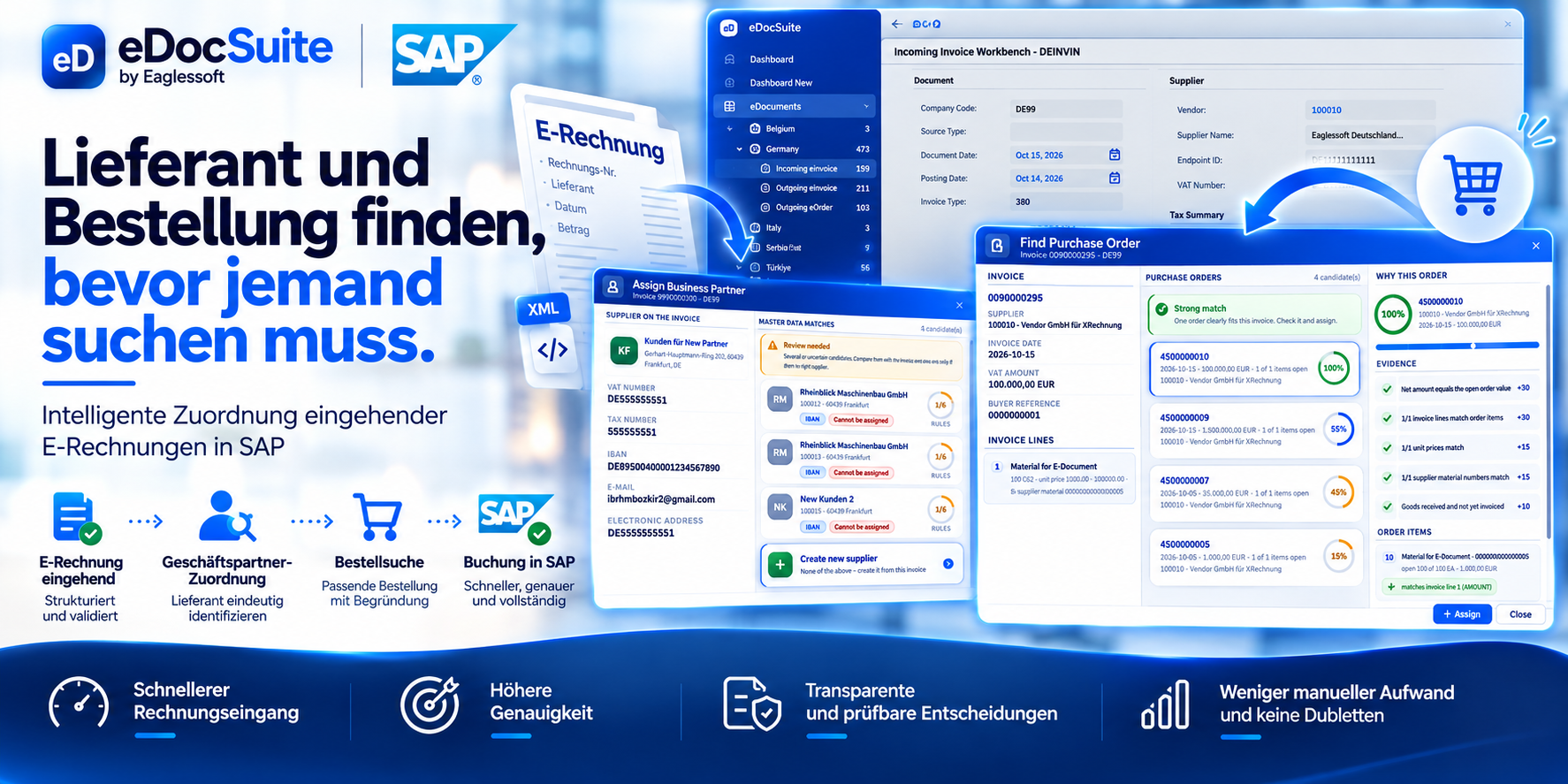
Why supplier and purchase order determine processing speed
Invoices rarely arrive exactly as master data expects. A VAT number may have no country prefix, appear only in an electronic address or be missing. Several suppliers may share an IBAN. The order reference may be absent, incorrect or replaced by the supplier’s own invoice number. Each situation creates manual research: finding suppliers, reviewing orders, comparing amounts and asking colleagues.
Working under time pressure also increases matching errors. An invoice may be assigned to the wrong supplier or order, or a price difference may only emerge later during invoice verification. Queries, reversals, late payments and lost early-payment discounts can follow. Identifying the supplier and order early makes the remaining process faster and more reliable.
Business partner matching: tax identity provides the decisive evidence
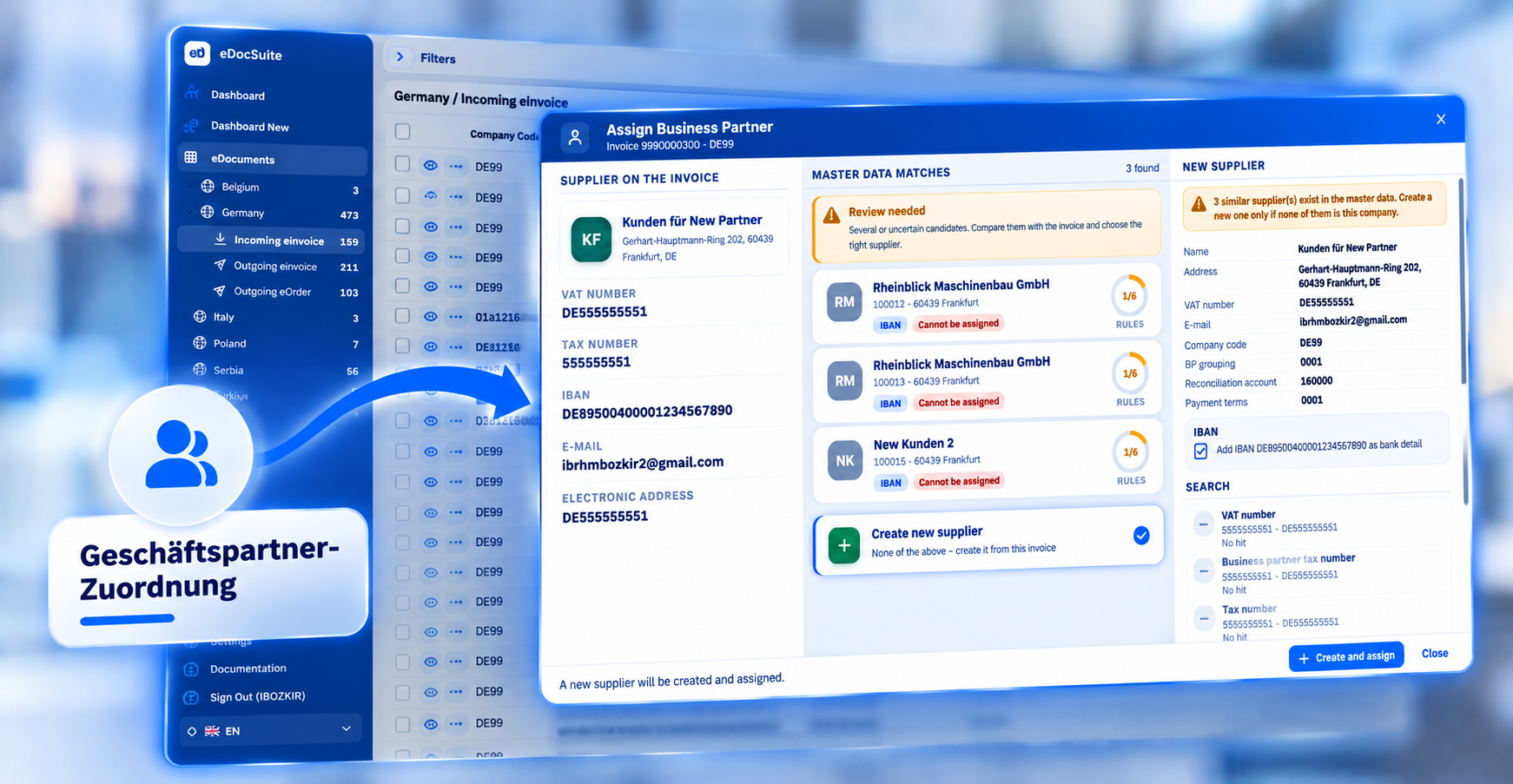
Business partner matching compares the invoice issuer with SAP master data. eDocSuite distinguishes evidence from clues. A unique match is based on tax identity: VAT identification number, business partner tax number or national tax number, considering alternative spellings with and without country prefixes. IBAN, email, name and postcode identify candidates but do not trigger automatic assignment on their own.
For every candidate, eDocSuite displays which rules matched and which did not, including the compared values. If assignment is unavailable, the reason appears beside the candidate. When an existing supplier is correct, the user can selectively add missing VAT, bank, email or company-code information from the invoice. If the supplier does not exist, eDocSuite can create it from the invoice using configured company-code defaults for grouping, reconciliation account and payment terms. Similar existing suppliers are flagged before creation to help prevent duplicates.
Purchase order search: a suitable order with an explanation
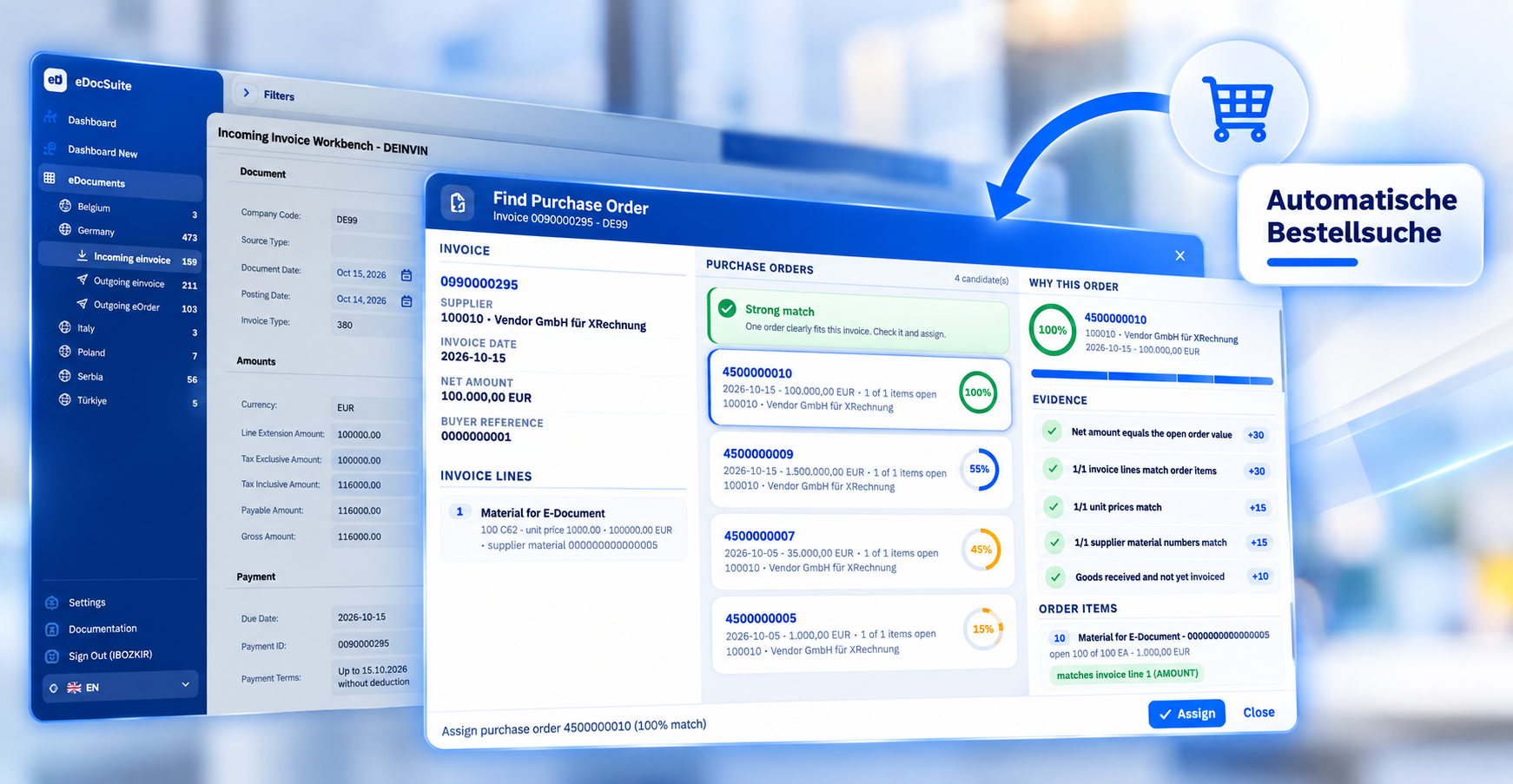
If the purchase order reference is missing or invalid, search examines two sources: order numbers mentioned anywhere in the invoice, including order references, buyer references, payment descriptions and line texts; and the supplier’s open orders in the company code.
Each candidate is compared with the invoice. Does the net amount match the outstanding order value? Can invoice lines be assigned to order lines? Do unit prices and material numbers agree? Is there a goods receipt that has not yet been invoiced? Each match contributes weighted evidence to a score from 0 to 100 percent, shown as a ring on the card. A bar explains how the evidence contributes to the score.
An order is proposed only when it is convincing and clearly ahead of the next candidate. Orders for another supplier, in another currency or already fully invoiced are displayed with reasons but cannot be selected. After assignment, the workbench rebuilds the invoice-to-order line mapping. Units of measure and tax codes come from the purchase order, rather than assuming that the invoice’s UN/ECE codes can be used directly in SAP.
A proposal, not a black box: the user decides
Both functions follow the same principle: the system proposes and explains; the user decides. Uncertain data does not result in automatic assignment, and ambiguous matches are not guessed. Before saving a selection, SAP checks it again against its own candidates. A choice that is not assignable in the interface cannot be saved through another route.
Every assignment is recorded in the document’s application log: the selected order, user, match score and supporting evidence, including the previous value. Auditors and business teams can therefore understand decisions months later.
Practical benefits for businesses
- Faster processing of incoming invoices.
- More accurate assignments.
- Auditable decisions.
- Less manual research.
Research previously spread across transactions and follow-up questions is available on one screen beside the invoice, with evidence for every option. Incorrect suppliers, unsuitable orders and significant price differences become visible before posting. Shared rules and evidence help the team apply consistent criteria, while each master-data improvement makes the next invoice easier. The result is a process better able to meet payment and discount deadlines.
Conclusion
Formats, validation and transmission provide the foundation; what happens next determines whether an invoice can be posted. With business partner matching and purchase order search, eDocSuite connects a valid e-invoice with an explained, auditable posting decision, directly in SAP.